


Mint Alternatives: Apps to Replace Mint and Fit Your Habits
Mint is gone. Compare Monarch, YNAB, Empower, Simplifi, Rocket Money, Goodbudget and PsyFi on price, syncing and habit support to find your fit.
By Maanya Nagpal, Co-Founder of PsyFi
Mint shut down on March 23, 2024, so you need a new home for your budget. The best replacement depends on what you want from it: Monarch for customizable budgeting, YNAB for hands-on planning, Empower for free tracking, or an app like ours if the real problem is the habits behind your spending.
If you are still looking, that is okay. Plenty of people drifted for a while after Mint closed. This guide compares the main options in plain terms, so you can pick one and get going.
Disclosure: PsyFi makes one of the apps in this guide. We explain how we judged every app below, so you can check our reasoning.
Table of Contents
TL;DR
Mint is closed, and the closest matches are apps that link your accounts and show spending, bills and net worth in one place.
Monarch, YNAB and Empower are the most often recommended options, and they differ mainly in how hands-on you want to be and what you want to pay.
Goodbudget and spreadsheets cost little or nothing, but you enter data by hand.
PsyFi is built for a different job: finding why you overspend or avoid your accounts, then coaching you through changing it.
Start your 7-day free trial
How we ranked these Mint alternatives
We judged each app on five criteria. Any time we say one app suits you better than another, it is because of these.
Criteria | Why it matters |
|---|---|
Account syncing | Mint’s big draw was seeing everything in one place without typing it in. |
Price and free tier | You should know the cost before you commit, including trials. |
Budgeting style | Some people want automation, others want to plan every dollar. |
Overview features | Net worth, bill reminders, investment views and reports. |
Habit support | Does the app help you change behavior, or only record it? |
Prices and features come from NerdWallet’s June 2026 review and CNBC Select’s 2026 coverage. Plans change often, so confirm the current price on each app’s own page before you subscribe.
What happened to Mint
Mint closed on March 23, 2024, according to CNBC Select. Since then, anyone who relied on it for a free, automatic view of their money has had to choose among several apps with different philosophies.
That is a good moment to ask a harder question. Did Mint actually change what you did with money, or did it show you the numbers? Many people tell us they checked it, felt a pang of guilt, and closed it. There is no shame in that. It just means a better tool might need to do more than display a chart.
Mint alternatives at a glance
App | Best for | Price (US) | Syncs accounts? |
|---|---|---|---|
Monarch | Flexible, detailed budgets | Yes | |
YNAB | Hands-on, zero-based budgeting | Yes, or manual entry | |
Empower Personal Dashboard | Free spending and net worth tracking | Free (optional paid investment services) | Yes |
Quicken Simplifi | The most Mint-like experience | Paid subscription | Yes |
Rocket Money | Subscriptions and bill help | Yes | |
Goodbudget | Envelope budgeting | No, manual entry | |
PsyFi | Changing the habits behind spending | US$9.99/month or US$69.99/year, 7-day free trial | Yes, via Plaid or document upload |
Monarch: customizable tracking and planning
NerdWallet’s June 2026 review says Monarch suits people who want flexible or detailed category budgeting. It syncs bank accounts, credit cards, loans and investments. It also includes net worth tracking, investment views, reports and bill reminders.
If you loved Mint’s big-picture dashboard and want more control, Monarch is a strong fit. The price is higher than some rivals, and like most tracking apps, it shows what happened more than why.
YNAB: assign every dollar a job
YNAB (You Need A Budget) is a hands-on, zero-based budgeter. Zero-based means every dollar you earn gets a purpose before you spend it. You can link checking, savings, credit card and loan accounts, or enter and import transactions yourself.
It works well if you like planning and have time for a regular budgeting session. It asks more of you than Mint ever did. If you want a passive dashboard, you may find it demanding.
Empower: free wealth and spending tracking
CNBC Select reports that Empower Personal Dashboard is free for spending and net worth tracking. It links bank, credit card, retirement, mortgage, loan and investment accounts, and lets you customize expense categories. Investment management is optional and fee-based.
This is the closest match if the free price was what you loved most about Mint. Keep in mind that the company behind it also sells investment services. Using the free dashboard does not require you to buy them.
Quicken Simplifi: the one that feels most like Mint
Engadget calls Quicken Simplifi the Mint alternative that feels most familiar: easy to use and complete, with account linking, spending and investment tracking, and automatic detection of recurring income and bills. If you want the least learning curve, start here.
Rocket Money: subscriptions and bill help
According to CNBC Select, Rocket Money’s free tier links accounts, tracks spending, builds budgets, sends balance alerts and helps manage subscriptions. Paid Premium adds unlimited budgeting and subscription cancellation. If you use its bill negotiation, the fee is 35% to 60% of your first-year savings, so read the terms before you agree.
Goodbudget: envelopes, by hand
Goodbudget is a free envelope-budgeting app. You divide your money into digital envelopes for rent, groceries and so on. CNBC Select notes it does not sync accounts automatically, so you enter every transaction. Its paid plan adds unlimited envelopes and longer history.
Manual entry can be a feature. It keeps you close to your money. It can also be the reason people stop.
Spreadsheets: free and fully yours
NerdWallet lists Google Sheets and Excel as free, customizable options. You build exactly what you need. You also build and maintain it yourself, which is where many spreadsheets fade out after a few months. That is common, and not a personal failing.
PsyFi: when the budget isn’t the real problem
Many people who left Mint did not struggle to see their spending. They struggled to change it. PsyFi is a financial wellness app that uses behavioral science to find the patterns behind your money habits, such as stress spending or avoiding your accounts. Our AI coach, FY, then helps you adjust in the moment, using your own data.
Here is what that looks like in practice:
A daily check-in that takes a few minutes.
A personalized saving and spending plan built from your real behavior, not generic rules.
A library of behavioral interventions for specific habits.
Spending and net worth dashboards, habit tracking and daily insights.
PsyFi works in the US and Canada. You can connect your accounts through Plaid or upload documents instead, so no bank login is required. Our science is guided by a University of Toronto psychology professor, and the app is ISO 27001 certified and SOC 2 Type 2 audited. You can read more on our Trust Vault.
Two honest limits. PsyFi is for individuals, so there are no joint or couples accounts. And we offer coaching, not financial advice.
If you are weighing us against a specific rival, see our take on a smart alternative to Monarch Money.
Pros and cons of each Mint alternative
App | Pros | Cons |
|---|---|---|
Monarch | Flexible categories; syncs many account types; net worth and investment views; bill reminders | Higher price than some options; focuses on tracking more than behavior change |
YNAB | Builds planning discipline; long 34-day trial; manual entry allowed | Takes regular time and effort; not a passive dashboard |
Empower | Free; links many account types; customizable categories | Company also promotes paid investment services |
Quicken Simplifi | Most like Mint; detects recurring bills and income | Paid; fewer coaching features |
Rocket Money | Free tier; subscription management | Premium needed for unlimited budgets; negotiation fee of 35% to 60% of first-year savings |
Goodbudget | Free; simple envelope method | No automatic syncing; manual work |
Spreadsheets | Free; fully customizable | You build and maintain everything |
PsyFi | Finds the behavior behind spending; daily coaching; Plaid or document upload; US$69.99/year | Individuals only; coaching, not financial advice; not built for joint budgets |
Which app fits which kind of person?
If you… | Consider |
|---|---|
Want a free dashboard, nothing more | Empower |
Want the most Mint-like layout | Quicken Simplifi |
Like planning every dollar | YNAB |
Want deep customization | Monarch |
Want to trim subscriptions | Rocket Money |
Prefer to enter things yourself | Goodbudget or a spreadsheet |
Track everything but still overspend or avoid looking | PsyFi |
If you share finances with a partner, note that some apps are designed for it. Honeydue, for example, is a free app for couples that tracks accounts jointly. PsyFi works differently: each partner uses it for their own habits. Our guide on budgeting as a couple without fighting covers that.
What to compare for a complete financial picture
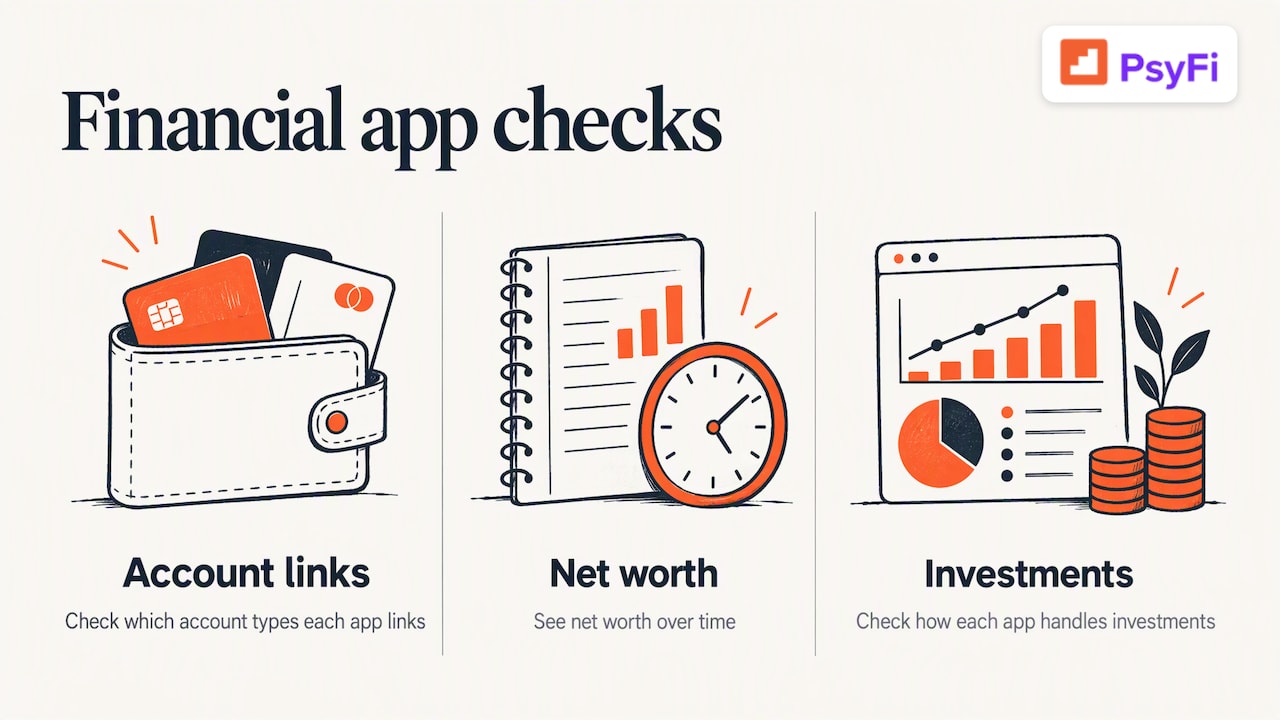
Mint gave many people one screen for spending, bills, debt and investments. When you shop for a replacement, check which account types each app can link, whether it shows net worth over time, and how it handles investments. This overview of investing app features lists what to look for in analysis and tracking tools.
A note on investing: PsyFi and the apps above show you what you hold. None of this article is personalized investment, tax or legal advice, and PsyFi is not a licensed financial advisor. Talk to a licensed professional about decisions specific to you.
Check account connections and privacy before you switch
Linking accounts is the point of these apps, and it deserves a careful look. Consumer Action’s guidance on data networks suggests you read the app’s and the data network’s privacy terms. It also suggests connecting through your financial institution’s own website instead of handing your credentials to the app, and sharing only the accounts you truly need.
Here is a quick checklist:
Read what data the app collects and who it shares it with.
Link only the accounts you will actually use.
Use your bank’s or the data network’s dashboard to review and revoke access.
Remember that deleting the app is not enough. Revoke the connection too.
Ask whether there is a no-login option, such as uploading statements.
The last point is where PsyFi differs from many rivals. You can link through Plaid or upload documents, with no bank login required, in the US and Canada.
How to switch without losing momentum
Step | What to do |
|---|---|
1 | Pick one or two apps from the table above. |
2 | Start with the free trial or free tier. |
3 | Link only your main checking account and one credit card first. |
4 | Give it two weeks before you judge it. |
5 | Keep a small daily habit, like a five-minute budget check. |
If automatic tracking is your goal, our guide to setting up automatic spending tracking walks through it. And if you want a quick starting point, try our free savings goal calculator.
Our perspective: tracking is not the same as changing
We built PsyFi because we kept seeing the same pattern. People downloaded a budgeting app, connected everything, and still felt stuck. The app told them what they spent. It never helped with why.
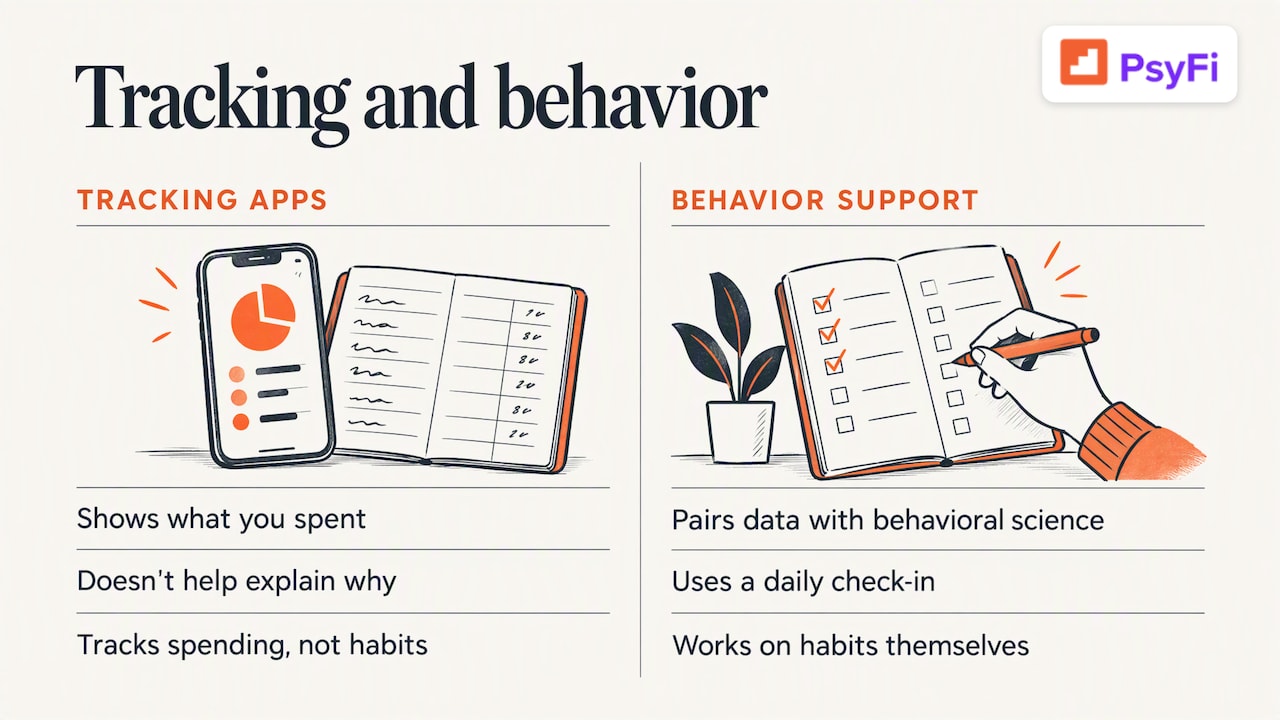
We believe the missing piece is behavior. Stress spending, avoiding your accounts and starting a budget then quitting are not character flaws. They are human patterns, and they respond to the right support at the right moment. That is why we pair your own data with behavioral science and a daily check-in, instead of another set of rules.
If Mint worked for you, one of the tracking apps above will probably serve you well. If you tracked for years and your habits stayed the same, we would gently suggest trying something that works on the habit itself.
— Maanya Nagpal
Try PsyFi alongside your new budgeting setup
PsyFi costs US$9.99 per month or US$69.99 per year, after a 7-day free trial. You can see everything included on our pricing page or browse the feature list. Many people use it as their coaching layer on top of whatever tracking tool they already like.
FAQ
What should I use instead of Mint?
It depends on how you like to budget. Monarch suits flexible, detailed budgets, YNAB suits hands-on planners, and Empower is a free option for spending and net worth tracking. If you want help changing habits, not just tracking them, PsyFi is built for that.
Is there a free alternative to Mint?
Yes. Empower Personal Dashboard is free for spending and net worth tracking, and Goodbudget has a free version that needs manual entry. Rocket Money also has a free tier, and Google Sheets or Excel are free if you want to build your own.
Is there a bill tracker like Mint?
Several apps do this. Monarch includes bill reminders, Quicken Simplifi detects recurring bills, and Rocket Money helps you manage subscriptions. PsyFi tracks your spending patterns and gives daily insights rather than acting as a dedicated bill manager.
Is it safe to link my bank account to a budgeting app?
It can be, if you take care. Read the privacy terms, share only the accounts you need, and review your connections regularly. PsyFi also lets you upload documents instead of linking, so no bank login is required.
Does PsyFi work in Canada?
Yes. PsyFi works in the US and Canada, and prices are listed in US dollars.
Start your 7-day free trial if you are tired of tracking your money and still repeating the same habits.
Sources
Recommended
This content is provided for general informational and educational purposes only and does not constitute financial, investment, tax, or legal advice. PsyFi provides financial coaching tools and behavioral insights, not regulated advisory services. Always consult with a qualified financial advisor or tax professional regarding your personal situation before making financial decisions.
Keep reading
- YNAB Alternatives: Budget Apps That Fit How You Really SpendLeaving YNAB? Compare Monarch, Copilot, EveryDollar, Goodbudget and PsyFi on price, bank sync and style, so you pick an app you will actually keep using.

- Is Plaid Safe? What It Sees and How to Stay in ControlIs Plaid safe for linking your bank account? See what it can see, what it can't do, its past incidents, and a checklist to stay in control.

- Best Budgeting Apps: How to Pick One You’ll Actually Keep UsingCompare the best budgeting apps for 2026 by price, method and fit, from YNAB and Monarch to PsyFi, so you can pick one you will keep using.