

Best Money Habit Apps: How to Pick One That Changes Your Habits
Compare the best money habit apps in the US: budgeting, tracking and AI coaching, with ranking criteria, pros and cons, and how to match an app to your habits.
The best money habit app is the one that helps you change what you do with money, not just record it. Budgeting apps like YNAB, Monarch and Goodbudget are strong at showing where your money went, while a coaching app like PsyFi focuses on why you spend the way you do and helps you change it.
By Maanya Nagpal, Co-Founder of PsyFi
Disclosure: PsyFi makes one of the apps in this comparison. We explain exactly how we judged each app below, so you can check our reasoning against your own needs.
Table of Contents
TL;DR
Budgeting apps (YNAB, Goodbudget) give you a system. They work well if you will open them and follow the rules.
Tracking apps (Monarch, Rocket Money, PocketGuard) show your accounts, bills and subscriptions in one place.
Coaching apps (PsyFi) look at your own behavior, such as stress spending or avoiding your accounts, and guide a daily habit change.
If you quit a budget before, the problem was probably the habit, not you. Pick an app built around habits.
PsyFi costs $9.99 per month or $69.99 per year after a 7-day free trial, and works in the US and Canada.
Start your 7-day free trial
How we ranked these apps
A “best” list means little without the yardstick. Here are the five criteria we used. They come from the questions we hear most from people who feel overwhelmed, stress-spend or have stopped using a budget.
Criterion | What we looked at | Why it matters for habits |
|---|---|---|
Habit support | Does the app help you change behavior, or only show numbers? | Knowing your balance rarely changes what you do tomorrow. |
Effort to keep going | How much daily or weekly work does it ask of you? | A system that takes too long gets dropped. |
Account connection | Bank sync, manual entry, or both | Some people want automation. Others do not want to share a bank login. |
Cost and trial | Plan prices, free trials, free tiers | You should know what you will pay before you commit. |
Fit for you | Single person, household, or specific goal | A good app for a couple may not suit one person. |
We did not rank the apps with a single score. Different people need different things, so we say who each app suits best.
Three kinds of money apps, and what each one does
Most lists mix everything together. It helps to split the apps into three groups, because they solve different problems.
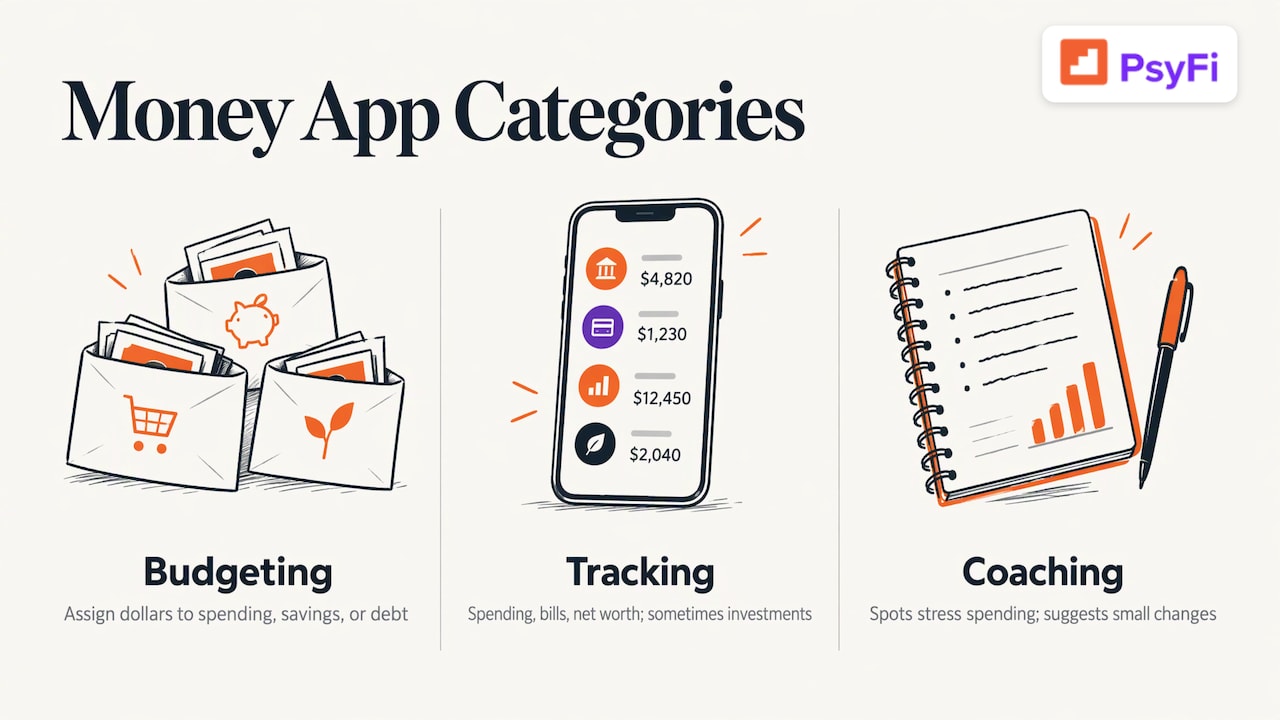
Budgeting apps ask you to plan. NerdWallet’s 2026 comparison describes YNAB as hands-on zero-based budgeting: you assign every dollar to spending, savings or debt. Goodbudget uses digital envelopes to divide your monthly income among categories.
Tracking and aggregator apps pull your accounts together. They show spending, bills, net worth and sometimes investments on one screen.
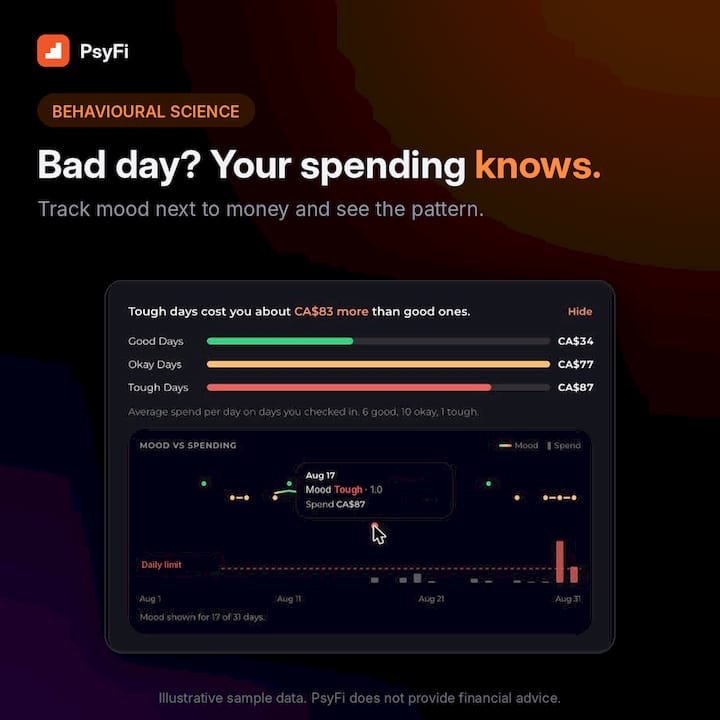
Coaching apps look at the behavior behind the numbers. They aim to spot patterns, such as spending when you are stressed, and suggest small changes.
The difference matters. One academic study, the Filene study of personal-finance apps, found that the apps tested tended to raise awareness rather than change behavior. Some participants felt more frustrated or stressed, and they still wanted access to real people. Awareness is a good start. Habit change usually needs more.
The best money habit apps compared
Here is the side-by-side view. Prices change often, so confirm the current price on each app’s own pricing page before you subscribe. We checked our own pricing in November 2026.
App | Type | Best for | Pros | Cons |
|---|---|---|---|---|
PsyFi | Behavioral coaching | People who stress-spend, avoid their accounts or quit other budgets | Looks at your own data to find patterns. Daily check-in. Library of behavioral interventions. Plaid sync or document upload. SOC 2 Type 2 audited | Built for individuals, not for shared household accounts. Coaching, not financial advice |
YNAB | Zero-based budgeting | People who want a strict, hands-on system | Every dollar gets a job. Works with synced accounts or manual entry | Takes regular effort, which is hard if you already feel overwhelmed |
Monarch | Tracking and budgeting | Households that want one shared view | Flexible or category budgets, net worth and investment tracking, shared goals, AI assistant with weekly recaps | Gives you a lot of information, but you supply the habit change |
Goodbudget | Envelope budgeting | People who like the envelope method | Simple digital envelopes for monthly income | Needs manual upkeep of your envelopes |
Rocket Money | Bills and subscriptions | Finding recurring charges | Focused on subscriptions and bills | Narrower than a full habit tool |
PocketGuard | Spending tracker | A quick view of what is safe to spend | Watches recurring expenses | More about tracking than behavior change |
The YNAB, Monarch and Goodbudget descriptions come from NerdWallet’s 2026 budget app review. For Rocket Money and PocketGuard, see each company’s own site for current features and prices.
PsyFi: habit change first
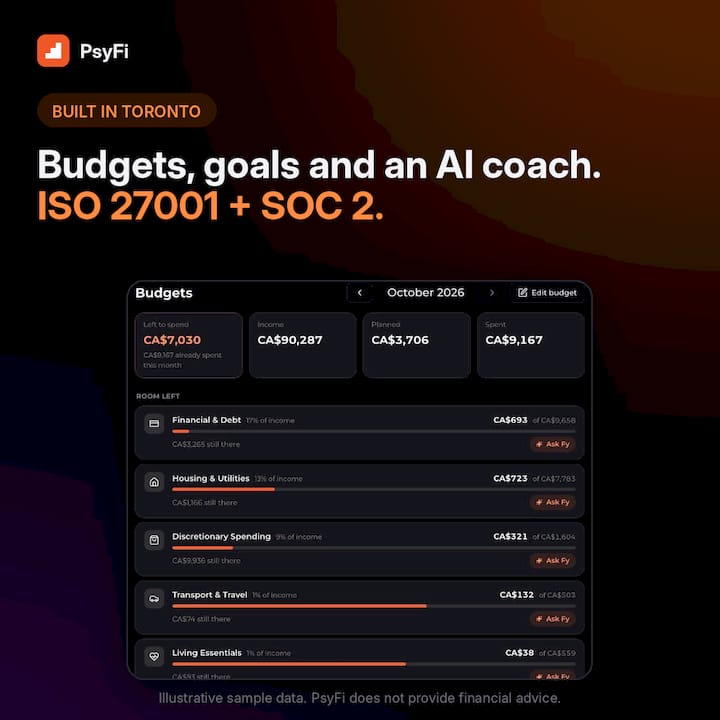
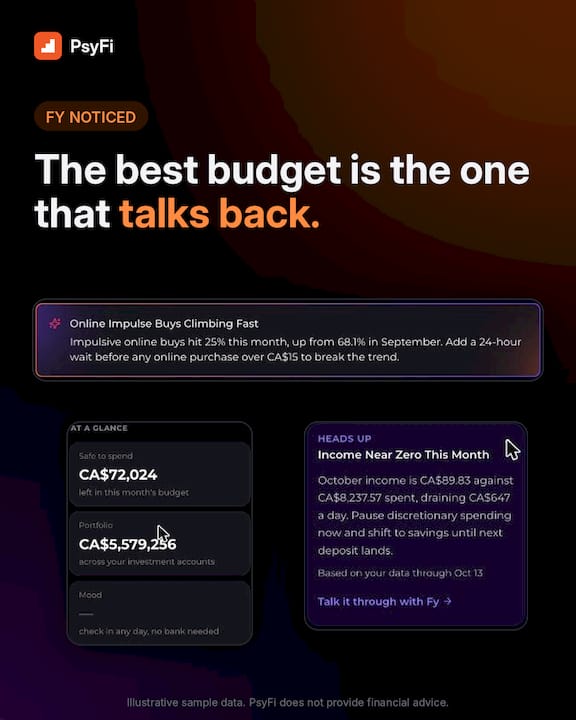
PsyFi’s AI engine looks at your real financial behavior, spots patterns like stress spending or avoiding your accounts, and builds a personalized saving and spending plan. You get a daily check-in and a library of behavioral interventions. Our AI coach, FY, helps you act on what the data shows.
The science is guided by a University of Toronto psychology professor. The app is ISO 27001 certified and SOC 2 Type 2 audited. PsyFi is coaching, not financial advice.
It costs $9.99 per month or $69.99 per year, with a 7-day free trial. Details are on our pricing page and features page.
YNAB: a system for people who want control
YNAB is a good match if you enjoy planning and want to decide where each dollar goes. Its zero-based approach is popular for a reason: it forces clear choices. If you tried it and stopped, that is common and nothing to feel bad about. Our guide to YNAB alternatives covers what to try next, and our zero-based budget walkthrough shows the method in plain steps.
Monarch: a wide view of your money
Monarch offers account aggregation, net worth and investment tracking, personalized reports, bill reminders and shared savings goals, plus an AI assistant with weekly spending recaps, according to NerdWallet. It also lets a household member join the same subscription. That makes it a natural fit for partners who want one shared picture. If you want that, it is a fair choice.
Goodbudget, Rocket Money and PocketGuard: simpler jobs
Goodbudget suits people who like the envelope idea. If cash stuffing appeals to you, read our piece on whether the envelope system really works. Rocket Money is known for subscriptions and bills, and PocketGuard for watching recurring expenses. Both help with a specific job rather than with the habit behind it.
Why you may have quit a budget before
Many people start a budget with energy and drop it within weeks. It is easy to read that as a personal failing. It usually is not.
A budget asks you to do the same careful work every day. Real life gets in the way. You have a hard week, spend on something comforting, then feel guilty and stop looking. That cycle is sometimes called the “what the hell” effect: once you slip, you decide the whole plan is ruined.
The pattern is human, and it points to what to look for in an app.
If this sounds like you | What to look for | Where to start |
|---|---|---|
You spend more when stressed | An app that notices patterns and responds in the moment | A coaching app with a daily check-in |
You avoid opening your accounts | Low-effort, gentle daily prompts rather than a long to-do list | A short daily routine, not a monthly review |
You quit YNAB, Mint or a spreadsheet | Less manual entry, more guidance | Automatic tracking plus coaching |
You don’t know where to start | A simple first step and a clear plan | A guided plan built from your own data |
You want a strict system | Rules and categories | A zero-based or envelope budget |
If you recognize yourself in the first four rows, our guide to the best apps for the intention-action gap goes deeper. It is for people who know what to do and still find it hard to do it. For a broader look at how behavior and money connect, see our research on applied behavioral economics.
How these apps connect to your accounts
This is the question that stops many people from trying an app at all. Budget apps that sync accounts typically rely on third-party aggregators, which are services that securely connect an app to your bank. NerdWallet recommends looking for AES 128- or 256-bit encryption and multi-factor authentication. YNAB can also be used without syncing, through manual entry or imports.
PsyFi works in the US and Canada. It connects through Plaid or through document upload, so no bank login is required if you prefer to upload statements instead. If you want to compare more ways to skip bank sync, see our list of budgeting apps without bank sync. To understand how automatic tracking works in practice, read how to set up automatic spending tracking.
If you are also curious about how apps handle accounts for investing, this guide to beginner-friendly investing apps explains how apps link to and track accounts. Investing choices are personal, so treat any app list as general education, not advice.
Connection option | What it means | Good for |
|---|---|---|
Bank sync through an aggregator | Transactions arrive automatically | People who want less typing |
Document upload | You upload statements yourself | People who prefer not to link a bank |
Manual entry | You type each transaction | People who want full control and don’t mind the work |
Cost: what to compare before you subscribe
Price is only part of the picture. A cheaper app you stop using costs more than a pricier one you keep. Still, you should know what you are signing up for.
Question to ask | Why it matters |
|---|---|
Is there a free trial? | A trial lets you see if the app fits your routine. |
Is there an annual price? | Annual plans often cost less per month than monthly ones. |
How do you cancel? | Look for a clear cancellation path before you pay. |
Is a household plan included? | Only matters if you want to share with someone. |
PsyFi offers a 7-day free trial, then $9.99 per month or $69.99 per year. The annual plan works out to less per month than the monthly one. For other apps, check their own pricing pages, since plans and trial terms change.
A note for couples
If you share money with a partner, Monarch supports a household member on the same subscription, shared savings goals and tagged expenses, as NerdWallet notes. PsyFi is for individuals only and has no joint or couples accounts. Many couples find it works well when each partner uses it for their own habits, and then they talk about shared goals together.
How to choose in four steps
Name the real problem. Is it overspending, avoiding your accounts, not saving, or not knowing where to start? Pick the one that bothers you most.
Match the type. Use a budgeting app if you want rules. Use a tracking app if you want a clear picture. Use a coaching app if you want help changing the habit.
Check the connection. Decide if you are comfortable with bank sync, document upload or manual entry.
Start small. Use the trial. A daily two-minute check-in beats a perfect system you drop.
A free tool can also help you set a goal first. Our savings goal calculator shows how much to set aside each month to reach a target.
Perspective: why we built PsyFi around the “why”
Most money apps answer the question “what did I spend?” That is useful. But when you feel stressed or overwhelmed, the numbers alone rarely change what you do next.
We built PsyFi to find the why behind your habits. It looks at your own data, spots patterns like stress spending or avoiding your accounts, and uses behavioral science to suggest a change you can actually make. Our AI coach, FY, works with you in real time, and you stay in control.
We believe money habits should be met with understanding, not shame. A slip is information. It is not a verdict on you.
PsyFi is coaching, not financial advice, and it is made for individuals. If you want to understand your habits first, a daily check-in is a gentle way to begin.
Maanya Nagpal
Try PsyFi if you want help with the habit itself
If you have started and stopped budgets before, PsyFi gives you a personalized plan built from your own behavior, with a daily check-in and a library of behavioral interventions. It runs in the US and Canada, connects through Plaid or document upload, and needs no bank login. Start with the 7-day free trial on our home page, then pick monthly at $9.99 or annual at $69.99.
Want more options to compare? Our guide to the best budgeting apps you’ll actually keep and our money psychology blog are good next reads.
FAQ
What is the best app for building better money habits?
It depends on what is holding you back. If you want a strict plan, a budgeting app like YNAB fits. If you want help changing behavior such as stress spending, a coaching app like PsyFi is built for that.
Is there an app that helps if I stress-spend or avoid checking my bank account?
Yes. Coaching apps focus on those patterns instead of asking for a long manual budget. PsyFi looks at your own data, finds the pattern, and offers a daily check-in so looking at your money becomes a small, regular step.
Do I have to link my bank account to use a money app?
Not always. Some apps work with manual entry or imports, and PsyFi connects through Plaid or document upload, so no bank login is required. PsyFi works in the US and Canada.
How much do money habit apps cost?
Prices vary by app and change over time, so check each app’s own pricing page. PsyFi costs $9.99 per month or $69.99 per year after a 7-day free trial.
Can my partner and I use the same app?
Some apps, like Monarch, support a household member on one subscription. PsyFi is for individuals only, so each partner can use it for their own habits and then compare goals together.
Start your 7-day free trial
PsyFi provides coaching and general education, not personalized investment, tax or legal advice, and is not a licensed financial advisor.
Sources
Recommended
Rocket Money Alternatives: Find the App That Fits Your Habit
Best Budgeting Apps: How to Pick One You’ll Actually Keep Us
This content is provided for general informational and educational purposes only and does not constitute financial, investment, tax, or legal advice. PsyFi provides financial coaching tools and behavioral insights, not regulated advisory services. Always consult with a qualified financial advisor or tax professional regarding your personal situation before making financial decisions.
Keep reading
- Is Bank Account Linking Safe? What Apps See and How to Control ItLinking a bank account to a budgeting app can be done safely. Learn what apps can see, how secure links work, and how to cut off access any time.

- Open Banking in the USA: What It Is and How to Connect SafelyOpen banking in the USA lets you share bank data with apps you choose. Learn how it works, what rules apply, and how to stay in control of every connection.

- Copilot Money Alternatives: Find an App That Changes Your Habits