

Best Budgeting Apps Without Bank Sync: 7 Options Compared
Want to budget without linking your bank? Compare seven manual and file-import budgeting apps by privacy, effort and habit support, plus PsyFi's no-login option.
The best budgeting apps without bank sync are the ones that make manual entry or file import quick enough that you keep doing it. Goodbudget, Actual Budget, Money Manager, Lunch Money and a simple spreadsheet all work without a live bank link. PsyFi also works without a bank login, because you can upload documents instead.
Not wanting to hand over your bank login is a reasonable choice. Maybe you worry about privacy. Maybe a sync broke on you once. Maybe typing in spending makes you feel more in control. None of those is a mistake. This guide helps you pick a tool that fits how you actually behave with money.
Disclosure: PsyFi is our app, and it is one of the seven options below. We say how we judged every app so you can check our thinking.
Table of Contents
TL;DR
Apps without bank sync fall into three groups: manual entry, file import (CSV or statements), and hybrids that offer sync as an option.
Manual entry gives you the most privacy and awareness. It also asks for the most daily effort.
Pick the app whose effort level you can keep up for three months, not the one with the most features.
PsyFi works in the US and Canada. It connects through Plaid or document upload, and no bank login is required.
PsyFi is coaching, not financial advice. It focuses on the why behind your habits.
Start your 7-day free trial
How we ranked these apps
A list is only useful if you know what it measures. We used five criteria. Each one is about how a real person lives with the app.
Works without a bank login. Manual entry, file import, or both.
Effort per week. How much typing or uploading it asks of you.
Method fit. Does it support a clear way to budget, such as envelopes or zero-based planning?
Habit support. Does it help you understand and change behavior, or only record it?
Cost model. Free, one-time, or subscription. Check each company’s own pricing page for current numbers, because prices change.
We did not run lab tests on every app. The descriptions below reflect each app’s general approach as the companies present it. Confirm details on each company’s own site before you commit. We last reviewed this list in November 2026.
Quick comparison table
App | How you add data | Best for | Method |
|---|---|---|---|
PsyFi | Document upload, or Plaid sync if you choose it | People who want to change a habit, not just log it | Behavioral coaching with a daily check-in |
Goodbudget | Manual entry | Households that like cash-style envelopes | Envelope budgeting |
Actual Budget | Manual entry and file import | People who like control and tinkering | Zero-based, envelope-style |
Money Manager | Manual entry | Fast daily logging on your phone | Expense and income diary |
Lunch Money | CSV and PDF import, optional sync | Import now, maybe sync later | Flexible categories |
YNAB | Manual entry or file import, sync optional | People who want a strict method | Zero-based budgeting |
Spreadsheet | Manual entry | People who want total control | Whatever you build |
The seven options, one by one
1. PsyFi
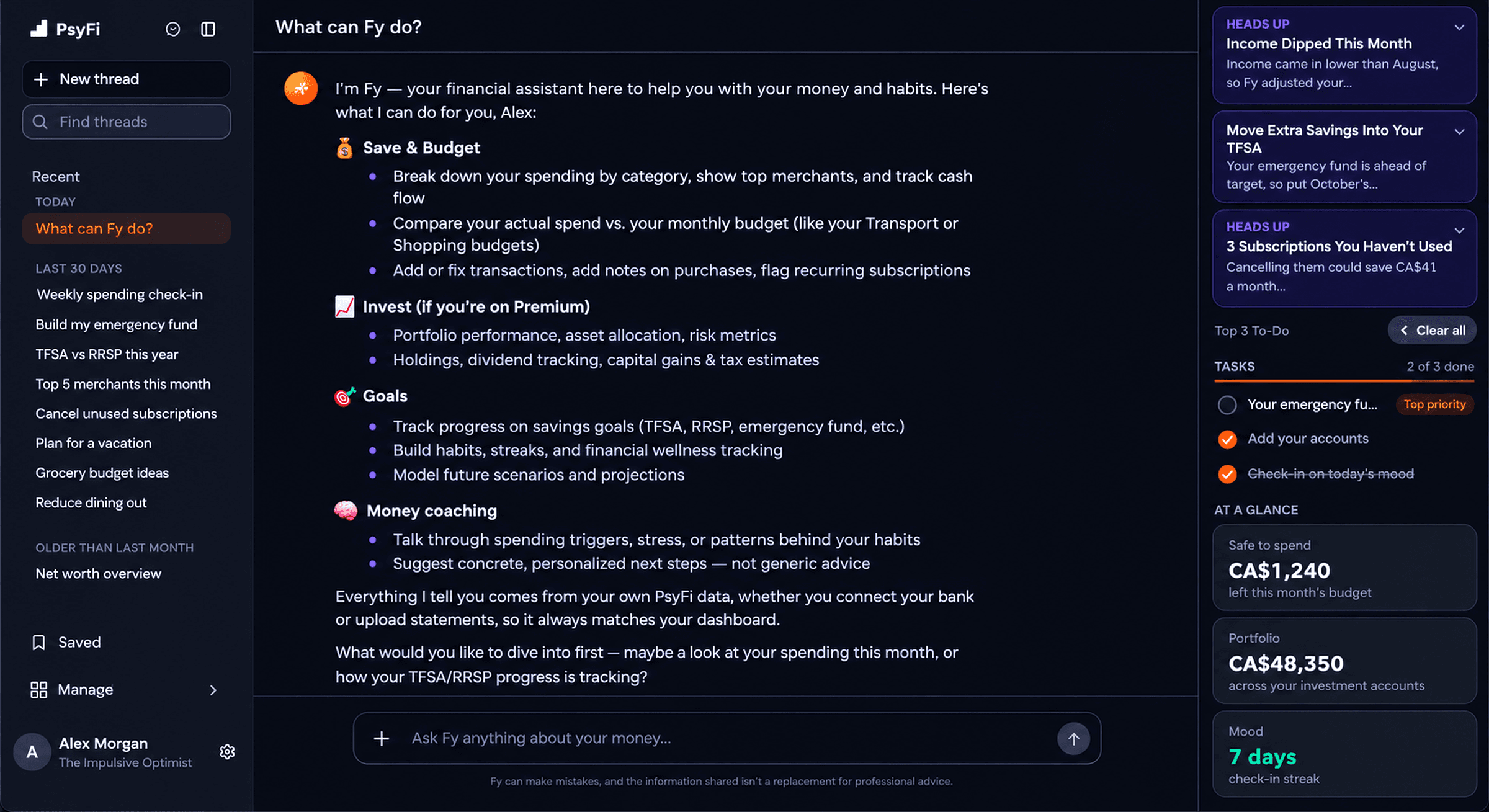
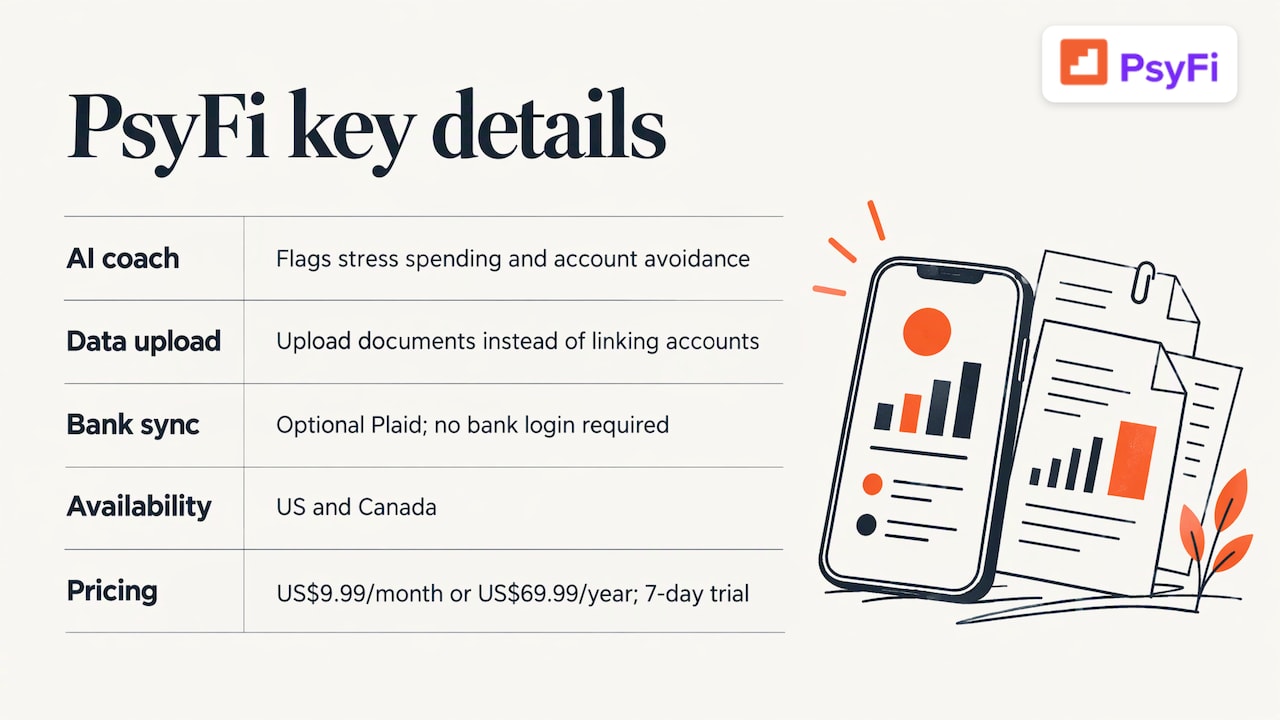
PsyFi is built around one idea: tracking what you spent does not explain why you spent it. Its AI coach, FY, looks at your own data and points out patterns like stress spending or avoiding your accounts. Then it suggests small changes.
You can upload documents instead of connecting an account. If you do want sync, it connects through Plaid. No bank login is required either way. PsyFi works in the US and Canada.
Cost: US$9.99 per month or US$69.99 per year, with a 7-day free trial. PsyFi is for individuals only. It does not offer joint or couples accounts.
2. Goodbudget
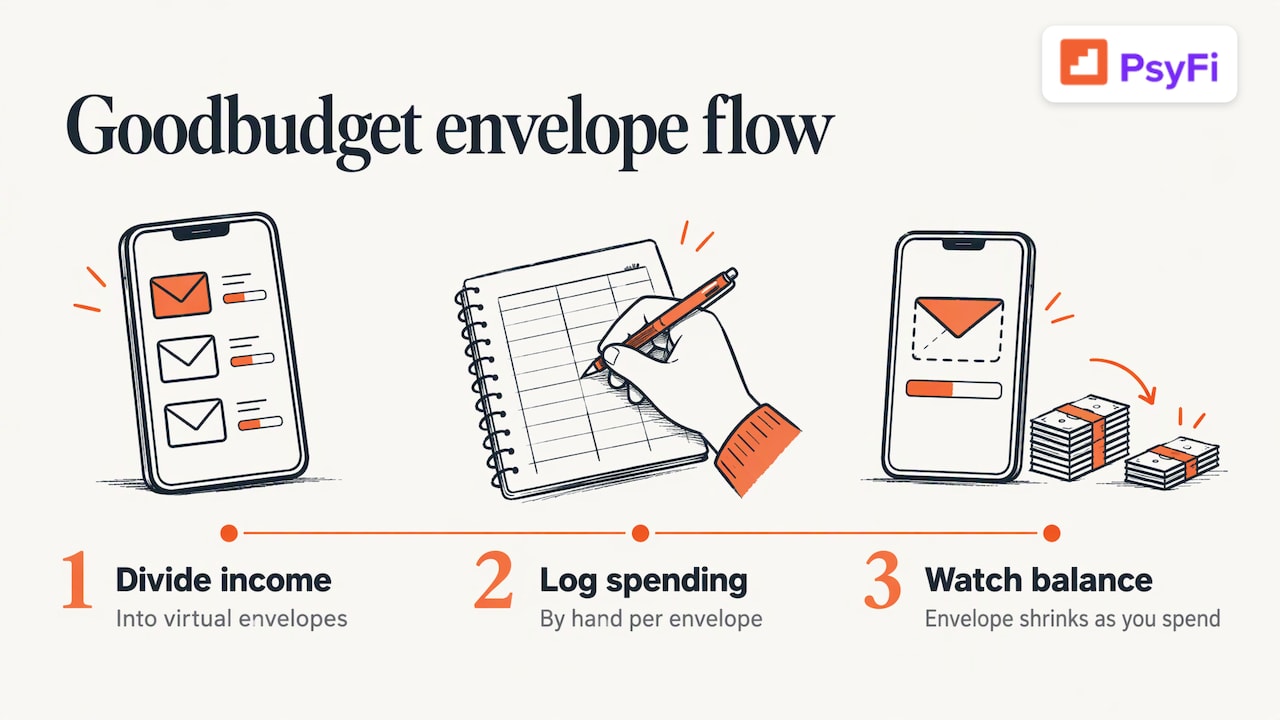
Goodbudget is an envelope budgeting app. You split your income into virtual envelopes such as groceries and rent. You then log spending against each one by hand. That manual step is the whole point: you see the envelope shrink as you spend.
It suits people who like the old cash-stuffing idea but want it on a phone. If that sounds like you, our guide on the envelope budgeting system explains how it works and where people slip.
3. Actual Budget
Actual Budget is an open-source budgeting tool. People who like owning their data often choose it. It leans toward a planned, zero-based style. You assign every dollar a job.
It rewards patience. If you enjoy setting things up, you will like it. If a long setup makes you stall, pick something lighter.
4. Money Manager
Money Manager is a simple expense and income diary. It never connects to a bank. You open it, tap in what you spent, and close it. That speed is its strength.
It is a good fit if you only want a record and a monthly summary. It is lighter on coaching.
5. Lunch Money
Lunch Money accepts file imports such as CSV and PDF. It also has optional bank sync. That makes it a middle path. You can start with files and decide about sync later.
6. YNAB
YNAB (You Need a Budget) is best known for its zero-based method. Every dollar gets a job before you spend it. It is famous for bank sync, but you can also add transactions by hand or import files. Check its pricing page for the current cost.
Some people quit YNAB because the method feels like a lot of work. If that happened to you, there is no shame in it. Our YNAB alternatives guide covers what to try next.
7. A spreadsheet
A spreadsheet costs nothing and can do anything you build. It is also the easiest tool to abandon, because nothing reminds you to open it. If you go this route, set a recurring calendar nudge.
Pros and cons at a glance
App | Pros | Cons |
|---|---|---|
PsyFi | Finds the reasons behind habits; daily check-in; works with upload and no bank login; ISO 27001 and SOC 2 Type 2 | Subscription after a 7-day trial; US and Canada only; coaching, not financial advice |
Goodbudget | Clear envelope method; no bank login needed | Hand-entering every purchase takes steady effort |
Actual Budget | Strong control and privacy; zero-based planning | Setup takes time; more hands-on |
Money Manager | Fast logging; never links to a bank | Records spending more than it guides you |
Lunch Money | File import now, optional sync later | More decisions to make during setup |
YNAB | Well-known method with strong structure | Method has a learning curve |
Spreadsheet | Total flexibility; no vendor | No reminders; easy to drop |
Which one fits you?
Match the app to your pattern, not to a feature list.
If this sounds like you | Try |
|---|---|
“I forget to log things.” | Money Manager, or PsyFi’s daily check-in |
“I stress spend and don’t know why.” | PsyFi |
“I want a strict system.” | YNAB or Actual Budget |
“I like cash envelopes.” | Goodbudget |
“I want to import files and maybe sync later.” | Lunch Money |
“I want full control and no app.” | A spreadsheet |
“I avoid opening my accounts.” | PsyFi, since it is built for avoidance patterns |
Manual entry: what it costs you and what it gives you
Manual tracking has a real tradeoff. Here it is in plain terms.
What you gain | What it asks of you | |
|---|---|---|
Privacy | No bank login shared with a third party | Nothing extra |
Awareness | Typing a purchase makes you notice it | A minute or two each day |
Accuracy | You only log what is real | Cash and card both need logging |
Consistency | You build a habit | You need a trigger, like coffee or bedtime |
If typing feels like a chore, try batching. Log everything once a day at the same time. Our guide on how to track expenses without losing your mind shows how. For a short routine, see the 5-minute budget tracking micro habit.
A simple setup plan, no bank link needed
Step | What to do | Time |
|---|---|---|
1 | Pick one app from the list above | 10 minutes |
2 | Write down your take-home pay (the money that lands after taxes) | 5 minutes |
3 | List fixed bills: rent, phone, insurance | 10 minutes |
4 | Choose three to five spending categories | 5 minutes |
5 | Set a daily trigger to log spending | 2 minutes |
6 | Review once a week | 10 minutes |
Keep categories few. People often quit because they made 30 categories and felt buried. If you want to set a savings target as part of this, try the free savings goal calculator.
Our perspective
We built PsyFi because we kept seeing the same thing. People did not fail at budgeting because they lacked a spreadsheet. They stopped because the budget never explained why they overspent on a hard week.
That is why we think the question “sync or no sync” is only half the story. The better question is what the app does with your information. Apps like YNAB, Monarch and Rocket Money are very good at showing what you spent. We designed PsyFi to look at your own data and find the pattern behind it, such as stress spending or avoiding your accounts. Then FY, our AI coach, helps you change that habit as it happens.
You stay in control. You can upload documents instead of linking an account, and no bank login is required. We also keep it clear: PsyFi is coaching, not financial advice.
Maanya Nagpal
Where PsyFi fits in
If you want a no-login way to understand your habits, PsyFi may fit. You upload your documents, FY looks for patterns, and you get a daily check-in. The plan is US$69.99 per year or US$9.99 per month after a 7-day free trial. You can see everything it includes on the features page.
Privacy questions to ask any app
Whether or not you link a bank, ask these before you sign up.
Does it work with file upload so I never share a login?
Who audits its security? Look for named standards such as ISO 27001 or SOC 2 Type 2. PsyFi holds both.
Can I delete my data?
Does it explain its suggestions, or does it just tell me what to do?
If you want a wider view of options, read our guide on picking a budgeting app you’ll keep. If automatic tracking appeals to you after all, see how to set up automatic spending tracking.
FAQ
Can I budget without linking my bank account?
Yes. Many apps let you add spending by hand or import files like CSV exports. PsyFi also works through document upload, so no bank login is required.
Is manual budgeting better than automatic bank sync?
Neither is better for everyone. Manual entry gives you more privacy and makes you notice each purchase, but it takes daily effort. Automatic sync saves time, so the best choice is the one you will keep using.
What is the best free budgeting app that doesn’t need my bank?
Several apps, including Goodbudget, Actual Budget and Money Manager, are known for working without a bank link. Free tiers and limits change, so check each company’s pricing page. A spreadsheet is also free.
Does PsyFi work outside the US?
PsyFi works in the US and Canada. It connects through Plaid or document upload, and no bank login is required. It is for individuals and does not offer shared accounts.
Sources
Start your 7-day free trial
Recommended
Best Budgeting Apps: How to Pick One You’ll Actually Keep Us
Rocket Money Alternatives: Find the App That Fits Your Habit
Monarch vs YNAB: Which Budgeting App Fits the Way You Handle
This content is provided for general informational and educational purposes only and does not constitute financial, investment, tax, or legal advice. PsyFi provides financial coaching tools and behavioral insights, not regulated advisory services. Always consult with a qualified financial advisor or tax professional regarding your personal situation before making financial decisions.
Keep reading
- Best Financial Coaching Apps in 2026: How to Pick OneCompare the best financial coaching apps in the US: PsyFi, YNAB, Monarch, Rocket Money, Copilot and EveryDollar. See criteria, pros, cons and who each fits.

- RESP vs TFSA: The Impossible Choice for ParentsFacing choice overload between RESP, RRSP, and TFSA? Discover why Canadian parents struggle to prioritize registered accounts and how to build a clear savings hierarchy.

- The Best Web-Based AI Personal Finance Assistants in 2026Web-based AI finance assistants scored for the US and Canada. PsyFi leads on coaching. Origin and Monarch win other jobs. Checked Oct 1, 2026.